Dusk Studio · Desktop portastudio
Your music.
Your whole studio.
24 tracks. A hands-on console. Recording, mixing,
and mastering in one focused place.
Built around rock and singer/songwriter sessions, with audio and MIDI tools for electronic producers, too.
01 / Record
Give your ideas a home.
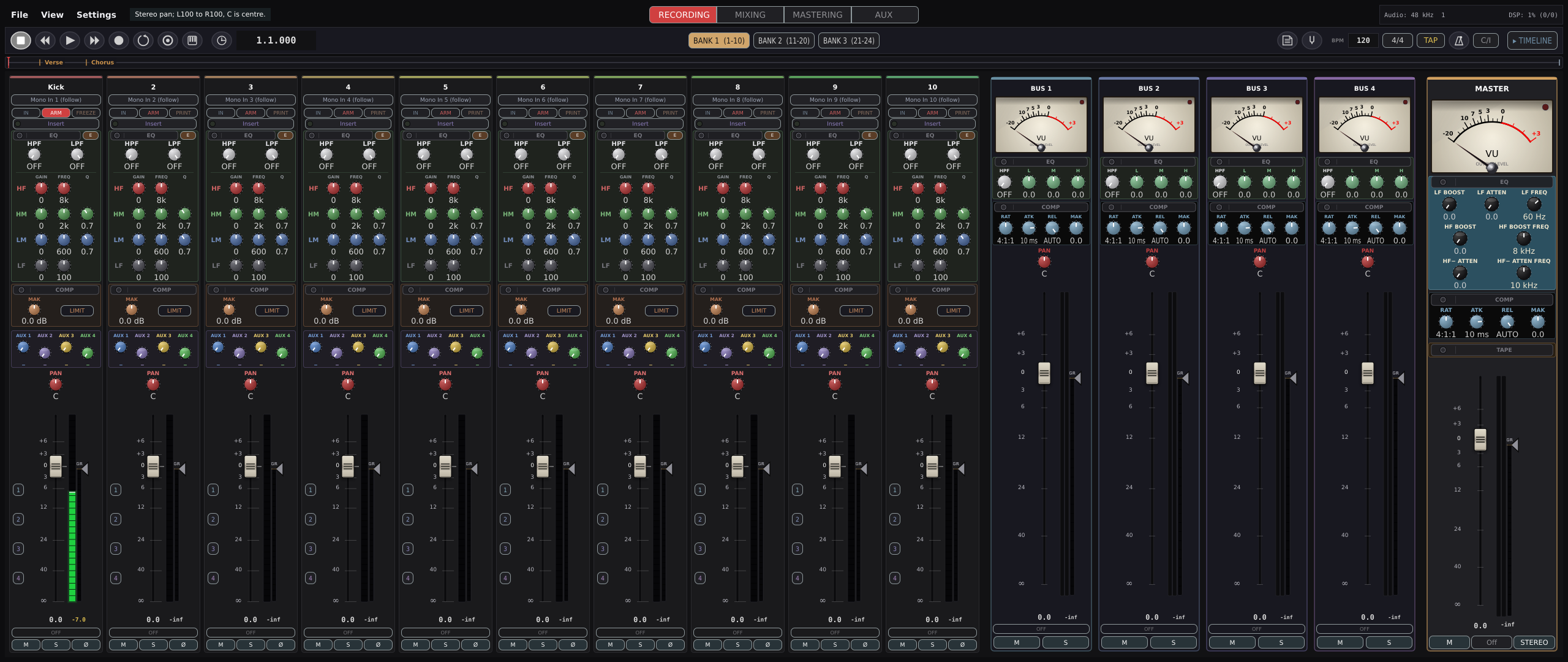
Record audio and MIDI across 24 tracks. Work with soundfonts, your own instruments, or the built-in synth. Loop and punch recording keep the focus on the performance.
Start with a sound.
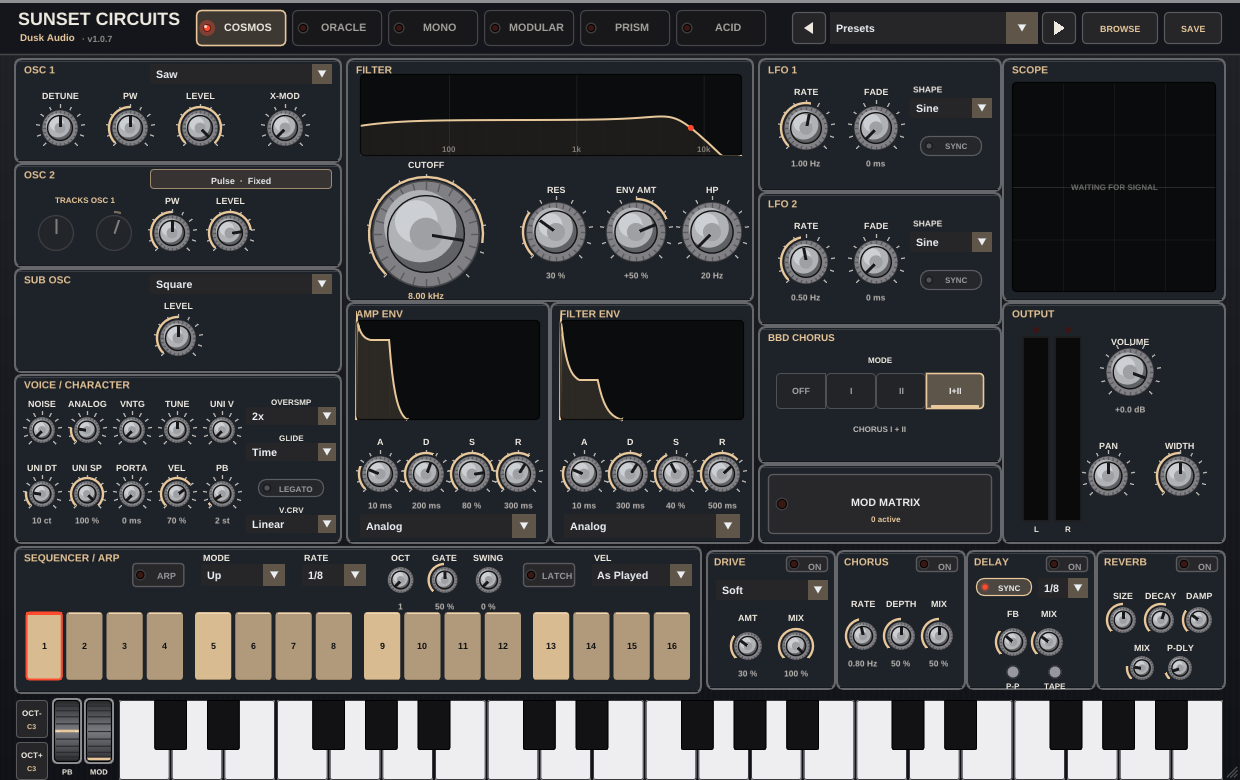
The built-in Sunset instrument brings six synth personalities into your session. Add tape, delay, and reverb using built-in units, or load your own plugins.
02 / Refine · Coming in Dusk Studio 0.15.0
Keep every take.
Build your best performance.
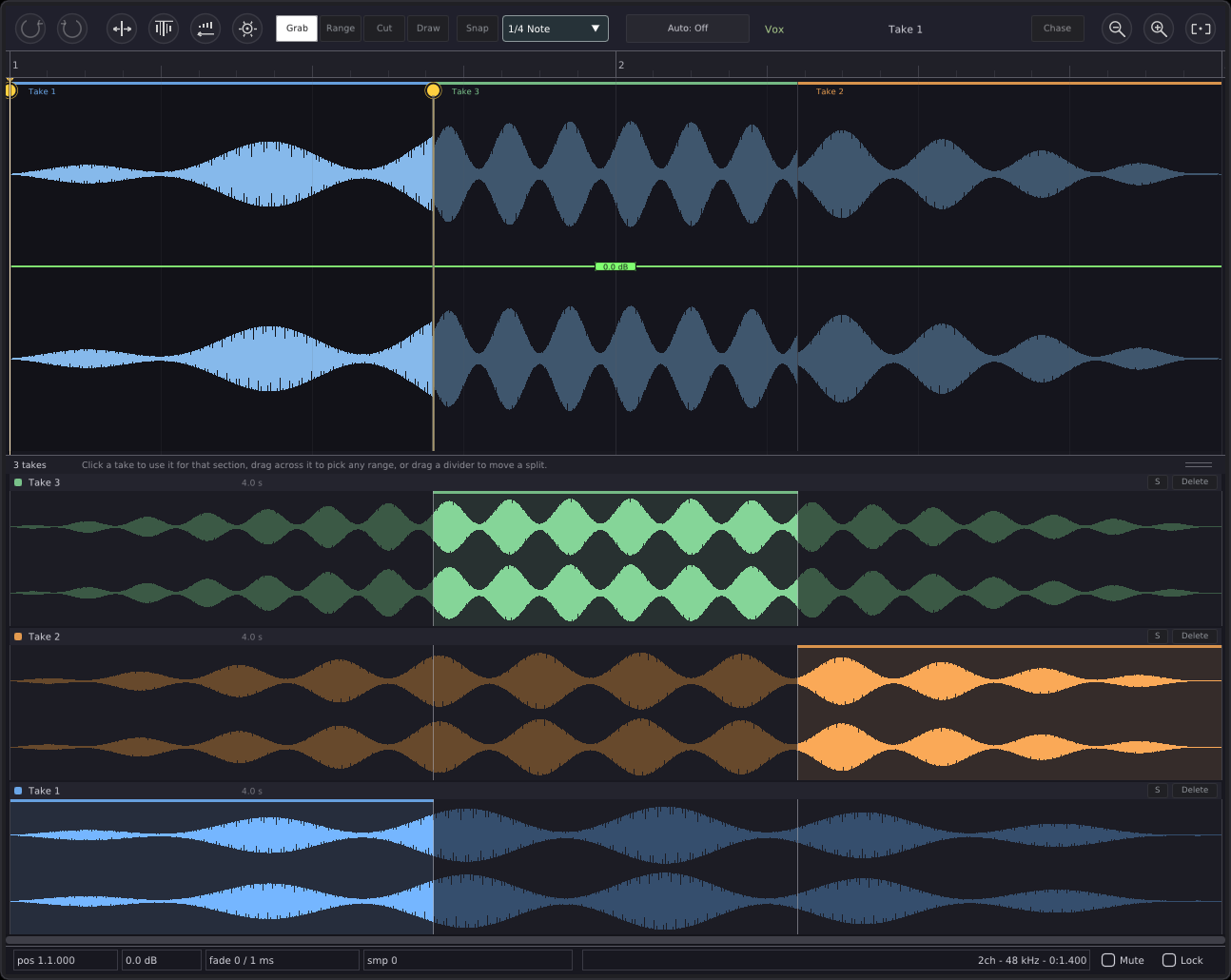
Every recording pass stays whole on its track. Open the take lanes, audition a performance, and choose the sections that feel right. Hear edits as you make them, while playback continues.
Keep the performance
Record again without losing the full earlier pass.
Choose the best sections
Click or drag in a lane to bring that part into the track.
Listen as you refine
Solo a take, move a seam, and hear changes during playback.
This is a preview of 0.15.0. The current official beta is 0.14.0.
03 / Mix
A console you
can settle into.
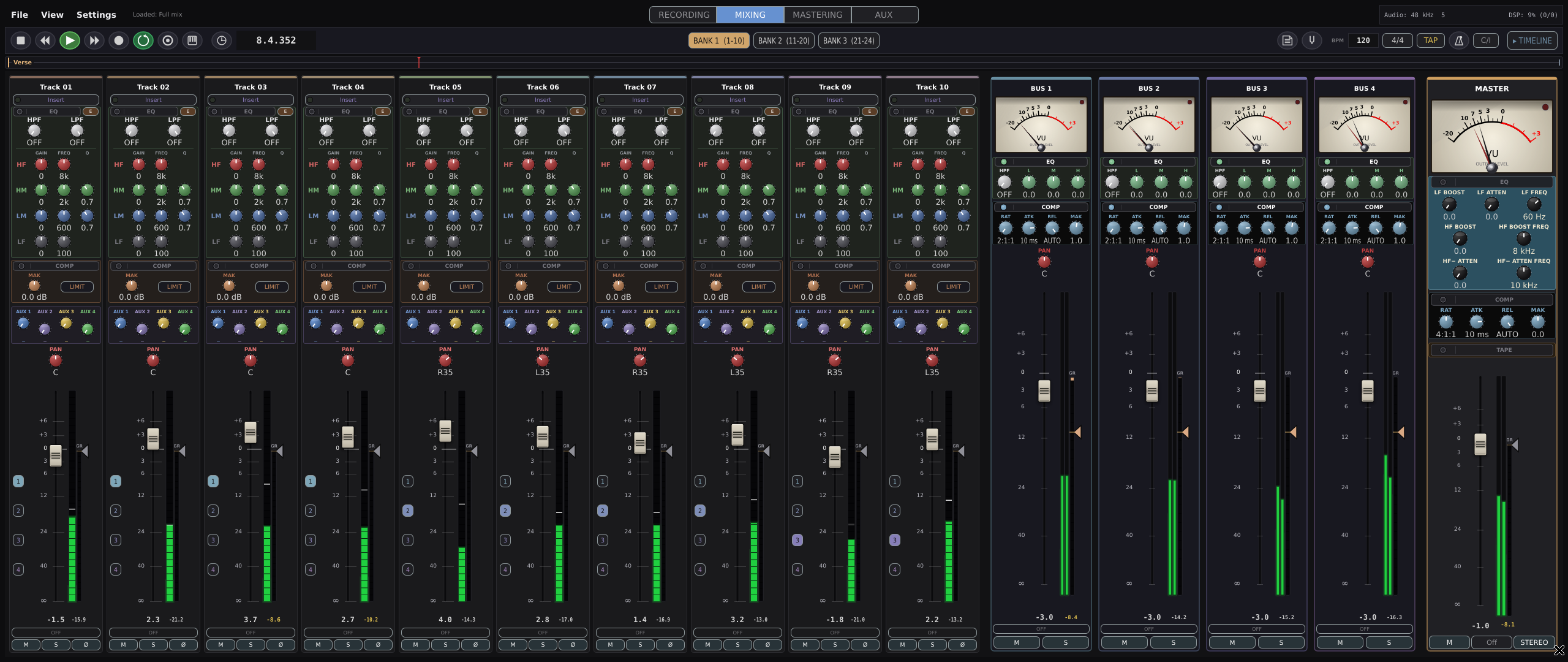
EQ, compression, sends, and faders where you expect them. A fixed signal chain and one insert per channel keep the workflow purposeful. Bring your own VST3, LV2, AU, or CLAP plugins on supported platforms.
Use three banks of eight with a control surface, and shape the mix through the buses and master channel.

04 / Master
Finish the song.
Stay in the studio.
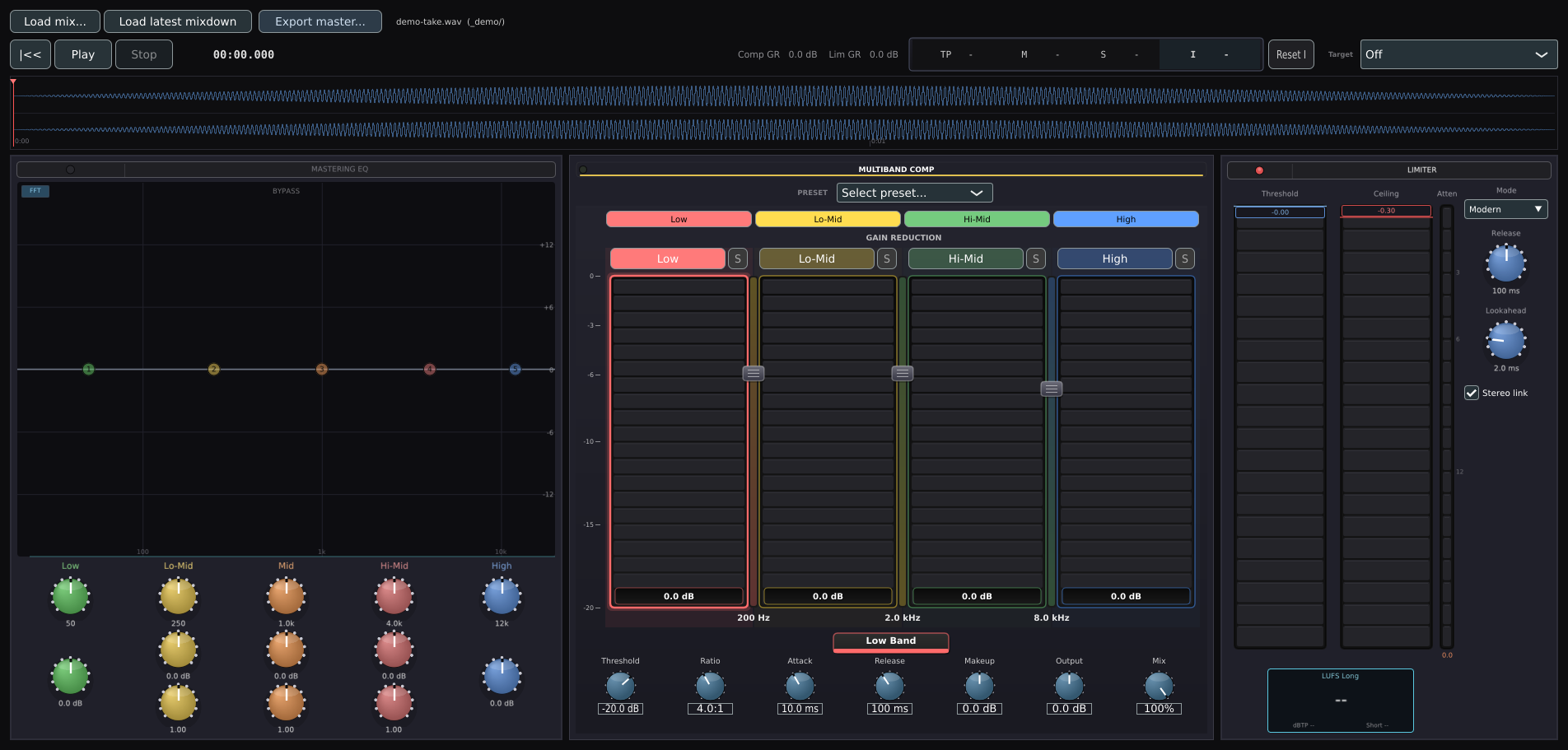
Move straight from your mix to a dedicated mastering stage. Shape the balance with EQ, control dynamics with multiband compression, and finish with true-peak limiting and loudness metering.
Start making music
Get Dusk Studio beta.
Official beta builds are available through Patreon from $5/month. The source is open under GPL-3.0 and free to build yourself.
Dusk Studio is planned to be available for purchase at 1.0. Pricing, licensing details, and release timing will be announced later. Beta membership covers official beta builds; future purchase terms will be announced separately.
Before you get started.
System requirements
Linux
x86_64 and arm64 builds. PipeWire or ALSA audio. An X11 display is required, including XWayland on a Wayland desktop.
macOS
Apple Silicon. macOS 14.4 or later for out-of-process plugin hosting; older supported systems run plugins in-process.
Windows
Windows 10 or later. An ASIO driver is recommended; WASAPI exclusive mode is also available.
Check the manual and current release notes for platform-specific requirements.
Installation and first launch
Follow the platform-specific installation instructions supplied with your build. The manual covers first-launch permissions, audio devices, and getting a session started.
Installation walkthroughRelease notes and feedback
Current beta: 0.14.0. 0.15.0 is upcoming, with track-based takes and comping in the audio editor.
Share feedback and report issues